
Your whole business. Kept in your own Drive.
CyanDesk brings customers, deals, invoices, expenses, mail and calendar into one app, designed for the big screen and deeply connected to Google. Nothing passes through our servers.
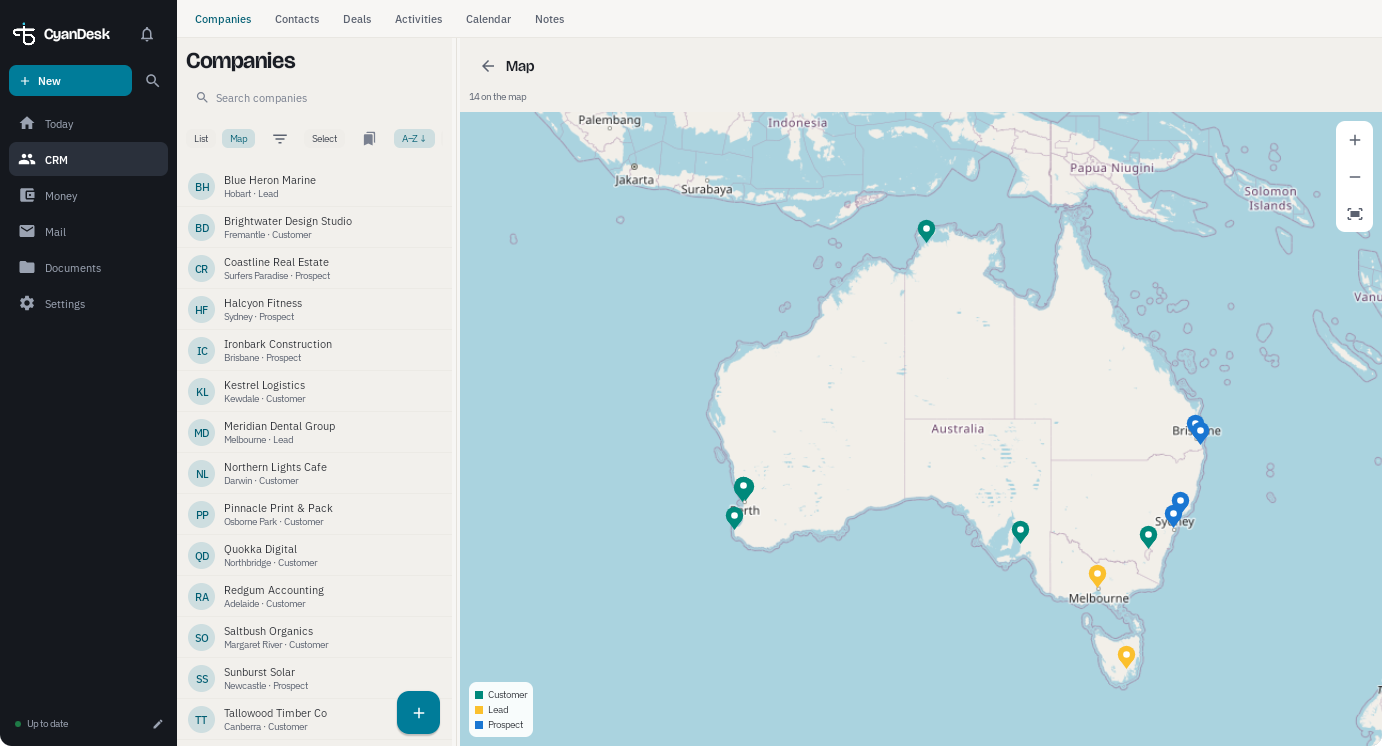
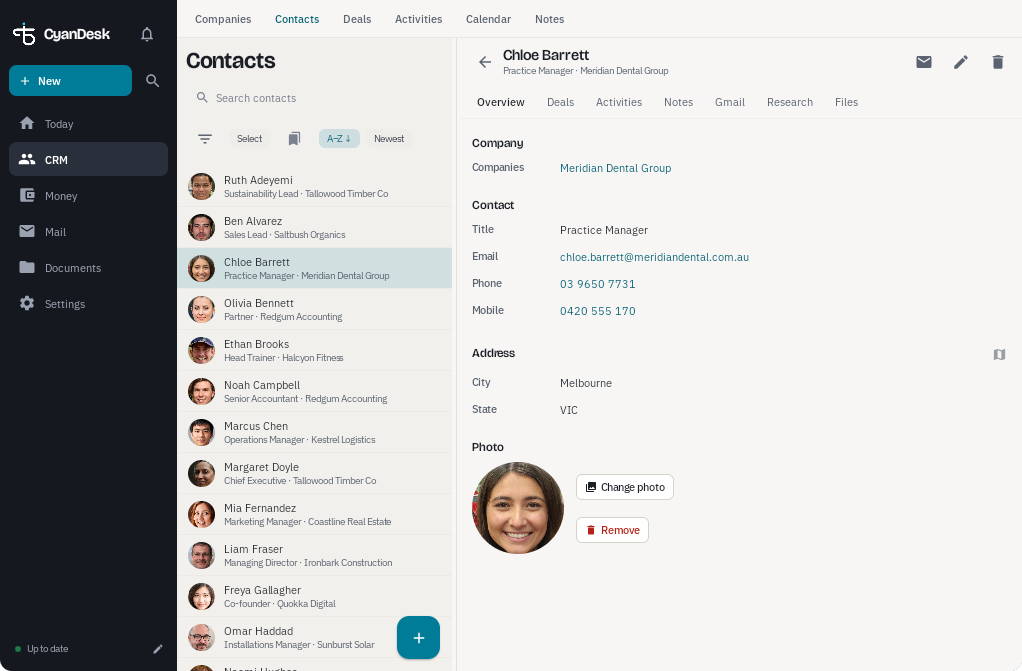
Everything in one app
CRM, invoicing, expenses, trips, budget, mail and calendar, with no juggling between tools.
Your data, your Drive
Records live on your devices and in a Google Drive folder you choose. We never see them.
Built for large screens
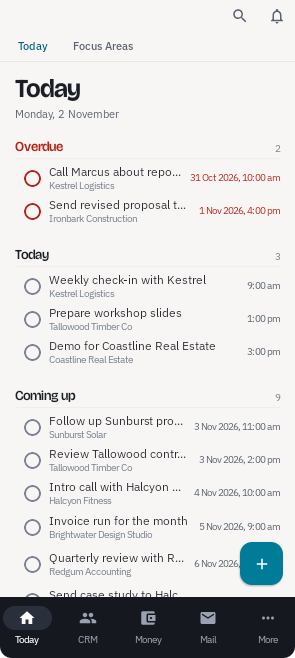
A real desktop layout for Chromebooks, Googlebooks and tablets, plus a focused phone view.
A desktop-class app that fits in your pocket
Most business apps are phone apps stretched onto a laptop. CyanDesk is designed for the large screen first, then scaled down to a tablet and a phone, all showing the same live data.
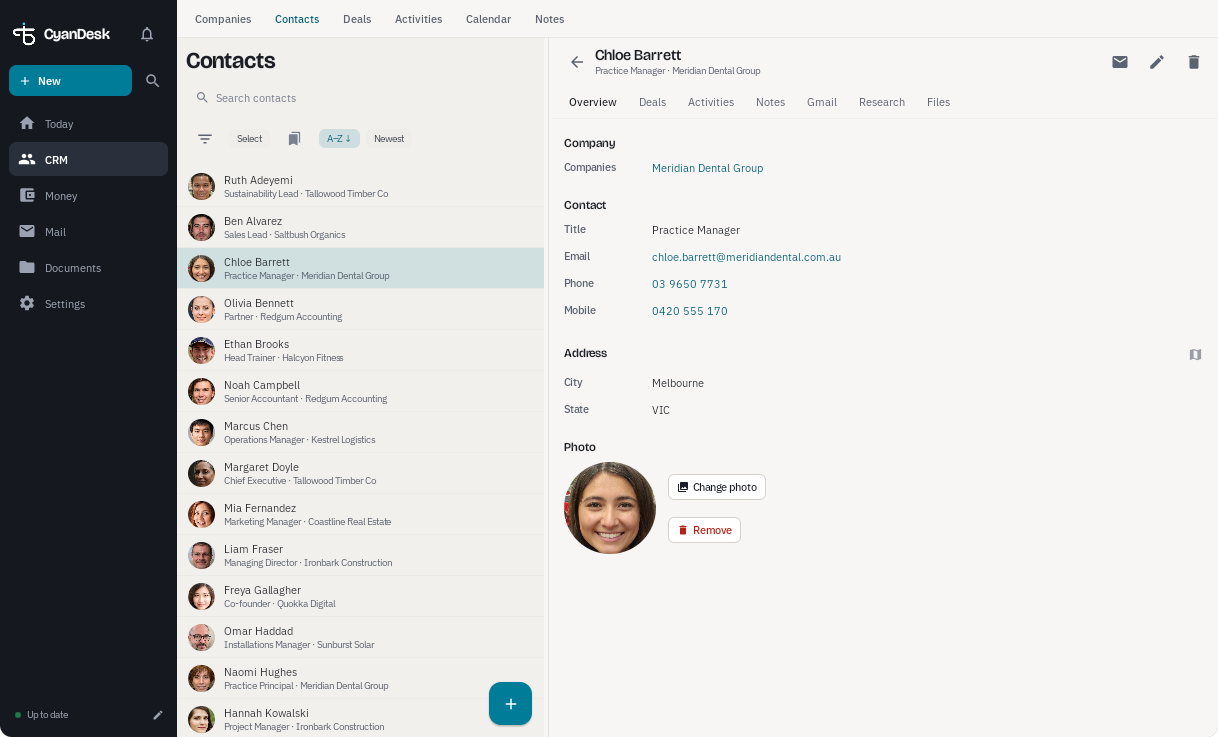
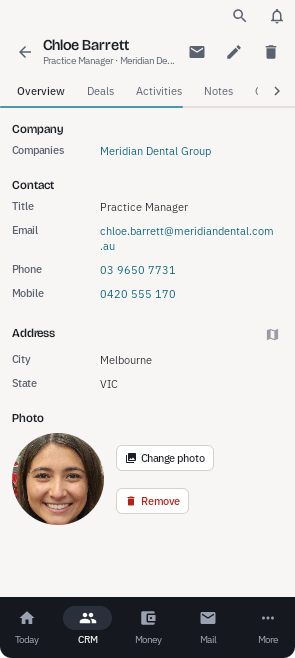
A proper desktop layout
A permanent navigation rail and roomy, multi-column screens on large displays. Resize the window and the layout follows.
Keyboard and mouse ready
Press Ctrl+K to jump to any page, record or action. Right-click menus and a mouse-friendly text toolbar work the way you expect.
The same data everywhere
Start an invoice on the Chromebook, check it on your phone. Devices stay in step through your own Google Drive.
Run the whole business, not just the contact list
CyanDesk replaces the spreadsheet, the invoicing app, the expense folder and the pile of browser tabs with one connected workspace.
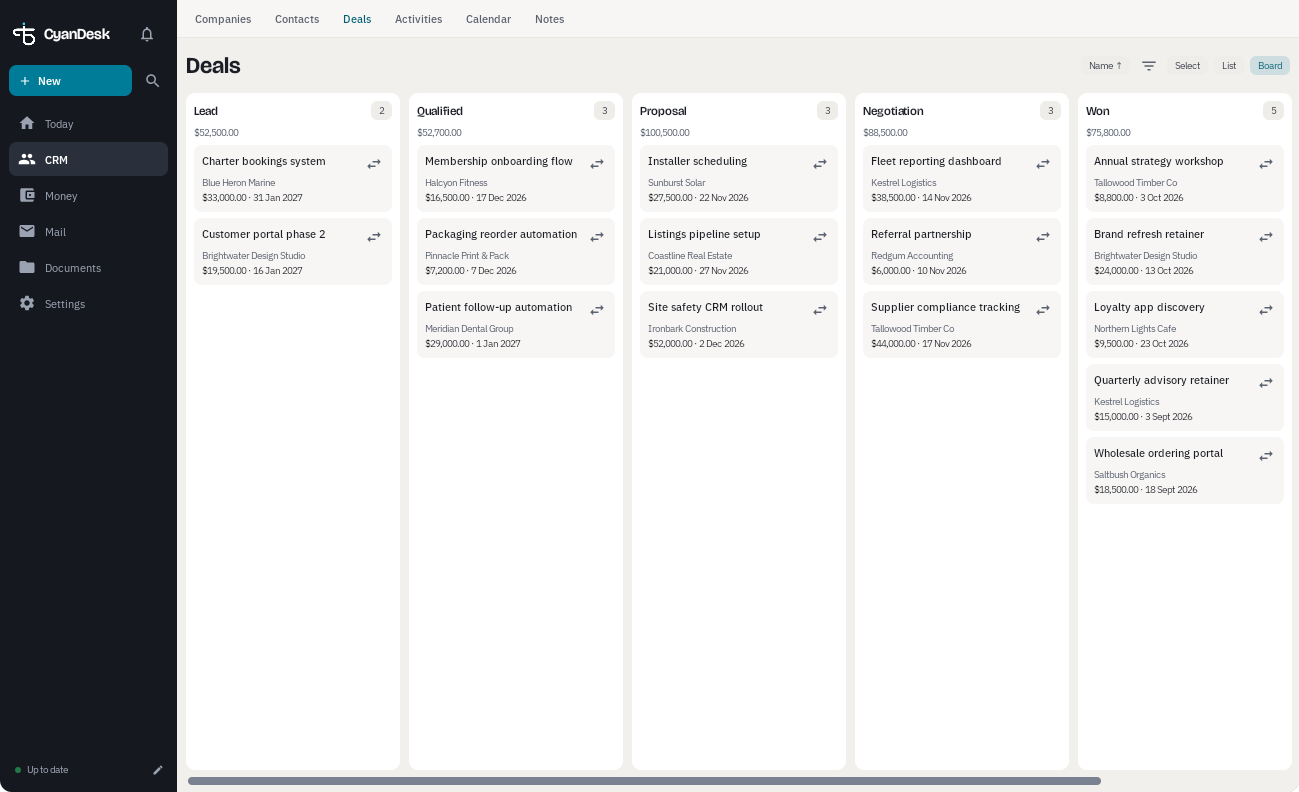
Know where every deal stands
Keep companies, contacts, notes and files together, then move deals across a pipeline board from first enquiry to won.
- Companies and contacts, with photos and custom fields
- Deal pipeline with values, next steps and close dates
- Activities, reminders and a Today view for your day
- Dashboards and reports with charts you design
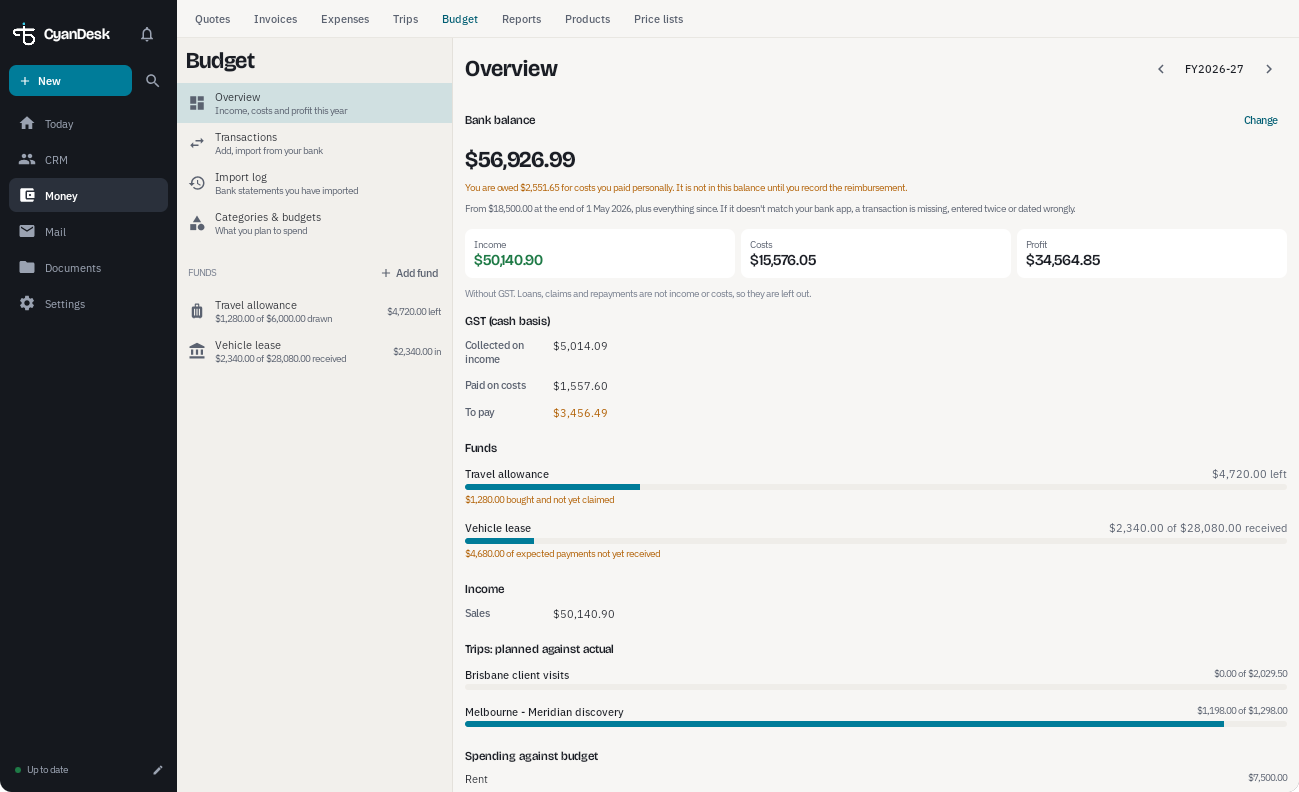
Invoice, track GST and chase what's owed
Create professional invoices from the customer record, record payments as they arrive, and see at a glance what is overdue.
- GST-aware invoices as PDFs, saved to your Drive
- Part payments, overdue tracking and recurring invoices
- Expense reports with receipt photos, trips with agendas and estimates
- A budget with funds, bank CSV import and a profit view
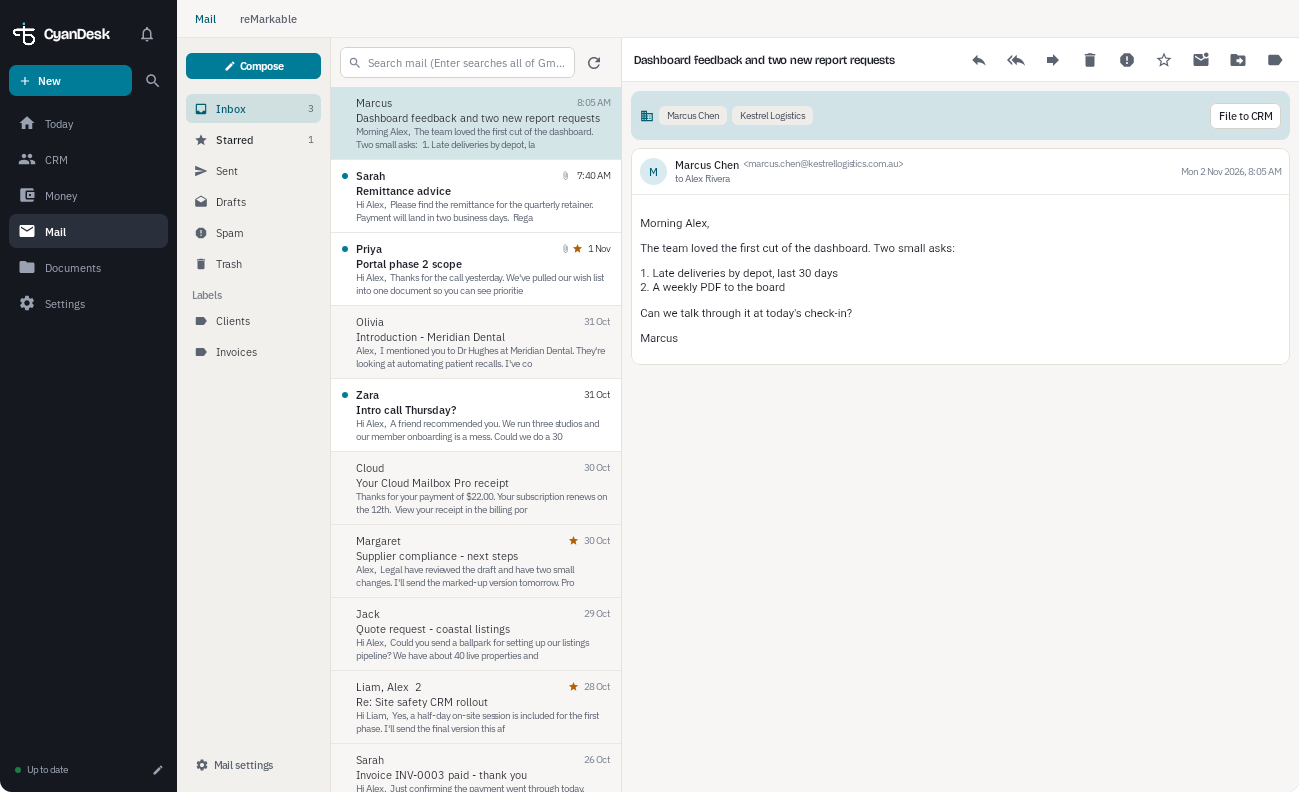
Mail and calendar, right where the work is
Read and send Gmail without leaving the app, and see activities, due dates and your Google calendars in one place.
- Gmail with a conversation view and an offline copy
- Month, week and agenda calendar views
- Documents and email templates filled with customer details
- Mind maps to plan the business or an account
Works with the Google tools you already use
Sign in once with your Google account and CyanDesk connects to the services you choose. You decide which permissions to grant.
Google Drive
Your data lives in a folder you choose. Invoices, receipts and documents are saved there as ordinary files you can open anywhere.
Gmail
Read, reply and send from inside the app, with a conversation view and an offline copy on your device.
Google Calendar
Activities with due dates appear in a dedicated calendar, and your other Google calendars show alongside them.
Google Contacts
Keep a chosen contact group in step with your CRM, photos included, so your phone's address book is always current.
Google Tasks
Task activities sync to a dedicated Tasks list, so reminders show up wherever you already look.
Docs, Sheets and Slides
Make quotes, letters, expense sheets and presentations from your own templates, filled in with customer details.
No Taurine Software servers in the middle
CyanDesk talks directly to Google from your device. Your customers, invoices, expenses and mail are stored on your devices and in your own Drive. We don't collect them, host them or have a way to read them.
Up and running in four steps
Install
On your Chromebook, Googlebook, Android tablet or phone.
Sign in with Google
Choose which Google services CyanDesk can use.
Pick your Drive folder
Your records and documents are kept there, under your control.
Work anywhere
Changes sync between your devices, and the app keeps working offline.
Made for people who run the business themselves
If you are the sales team, the accounts department and the admin office all at once, CyanDesk is for you.
Good to know
Which devices does it run on?
CyanDesk is an Android app, so it runs on Android phones and tablets and on Chromebooks and Googlebooks that run Android apps. The layout adapts automatically from a phone to a full desktop screen.
Where is my data stored?
On your devices and in a Google Drive folder you choose. CyanDesk connects your device straight to Google, so there is no Taurine Software server holding a copy.
Does it work offline?
Yes. Your records are stored on the device, so you can keep working without a connection. Changes sync the next time you are online.
Do I need a paid Google Workspace account?
No. A standard Google account is enough. If you already use Workspace, CyanDesk works with that too.
How do I get CyanDesk?
Get in touch using the form at the bottom of this page and we will arrange access and help you set it up.
Ready to run your business from one app?
Tell us about your business and we'll show you CyanDesk on your own device.
Let's get you started
Tell us a little about your business and what you'd like CyanDesk to do for you. We'll reply personally.